
Free US$0 · essential personal features; uploads up to 5 MB per file
PRODUCTIVITY / CONNECTED WORKSPACEFrom docs to projects,
From docs to projects,
bring your team's knowledge together.
Notion is a connected workspace for collecting knowledge, finding information and organizing work. Combine docs, wikis, projects and databases in a system that can grow from personal notes to team collaboration.
✓ Free plan availableDocs · Wikis · DatabasesIndividuals & teams
Per member with monthly billing. US$10/month equivalent on annual billing
Check the differences between paid members and guests
GBH material checked 2026-11-03 · official prices reviewed 2026-11-17
What is Notion?
One workspace for knowledge and the flow of work
Notion is a workspace for collecting and finding knowledge while organizing everyday tasks. It is well suited to people and teams that want to connect documents and project information or maintain shared knowledge in a consistent structure.
Pages and databases help connect documentation and work items, making it possible to grow from personal note-taking to a team knowledge base. Defining database properties and permissions can require some setup time.

Plans at a glance
From an individual Free plan to paid collaboration tiers. Compare per-seat charges, billing intervals, upload limits and permission needs rather than judging by the introductory number alone.
| Plan | Monthly billing | Annual billing / monthly equivalent | Annual billed total | Key scope to confirm |
|---|---|---|---|---|
| Free | US$0 | US$0 | US$0 | Core individual features, up to 5 MB per uploaded file, trial access to some features |
| Plus | US$12 | US$10 | US$120 | Smaller teams; broader sharing, collaboration and upload features |
| Business | US$24 | US$20 | US$240 | Advanced permissions and collaboration; verify added features |
| Enterprise | Contact sales | — | — | Security, management and contract terms for large organizations |
Monthly prices use the GBH material supplied by the owner (2026-11-04); annual billing equivalents refer to Notion's official pricing page reviewed 2026-11-17. Annual totals are monthly equivalents × 12 for one member, excluding tax, extra seats and add-ons. Prices depend on country, currency and billing period. Notion pricing ↗
The Free plan offers essential functionality to individuals; workspaces with multiple members may have block limits. The availability of Notion AI and other add-on or trial features varies by plan, so consult the official page before purchasing.
Tools that grow with your workflow
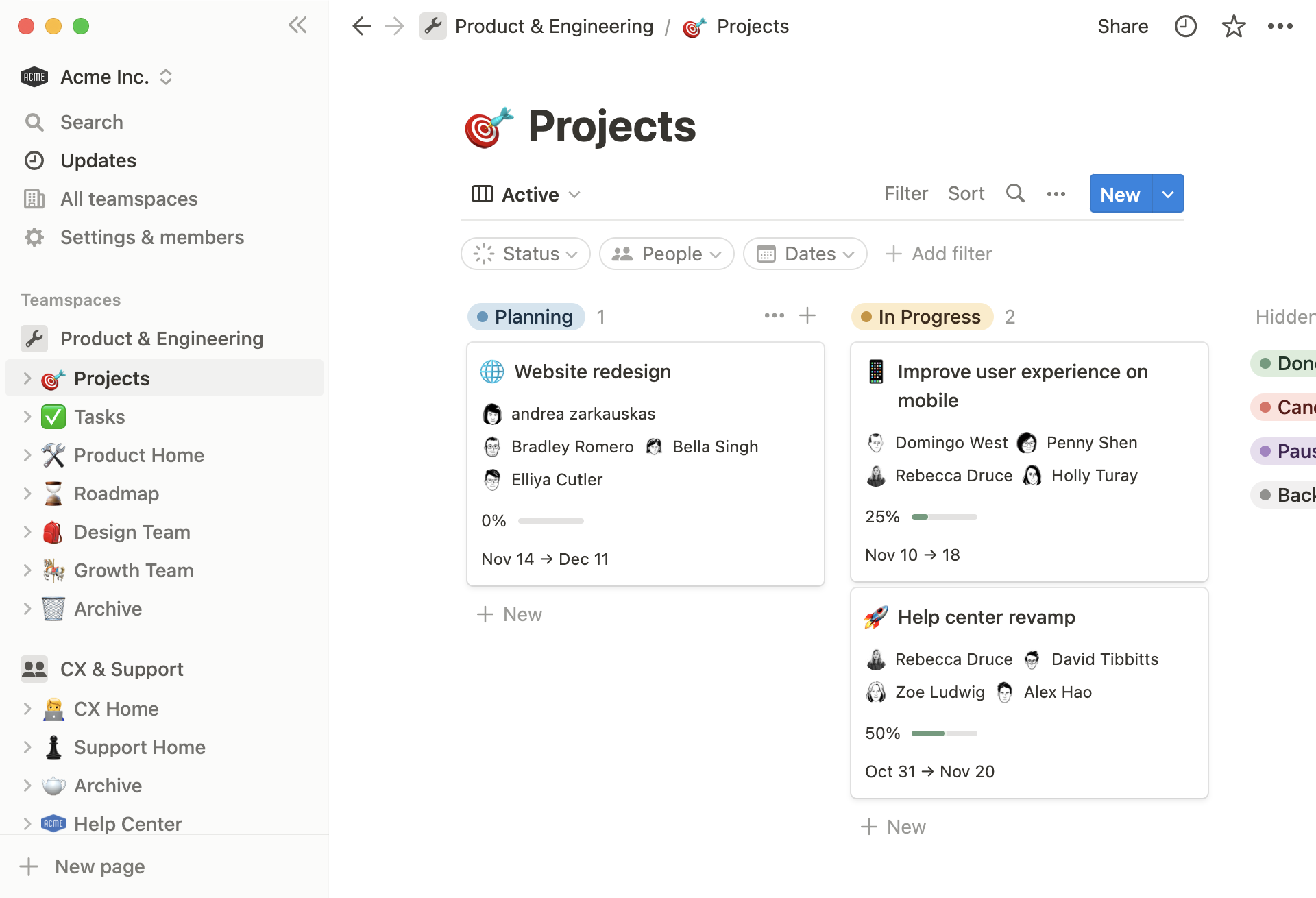
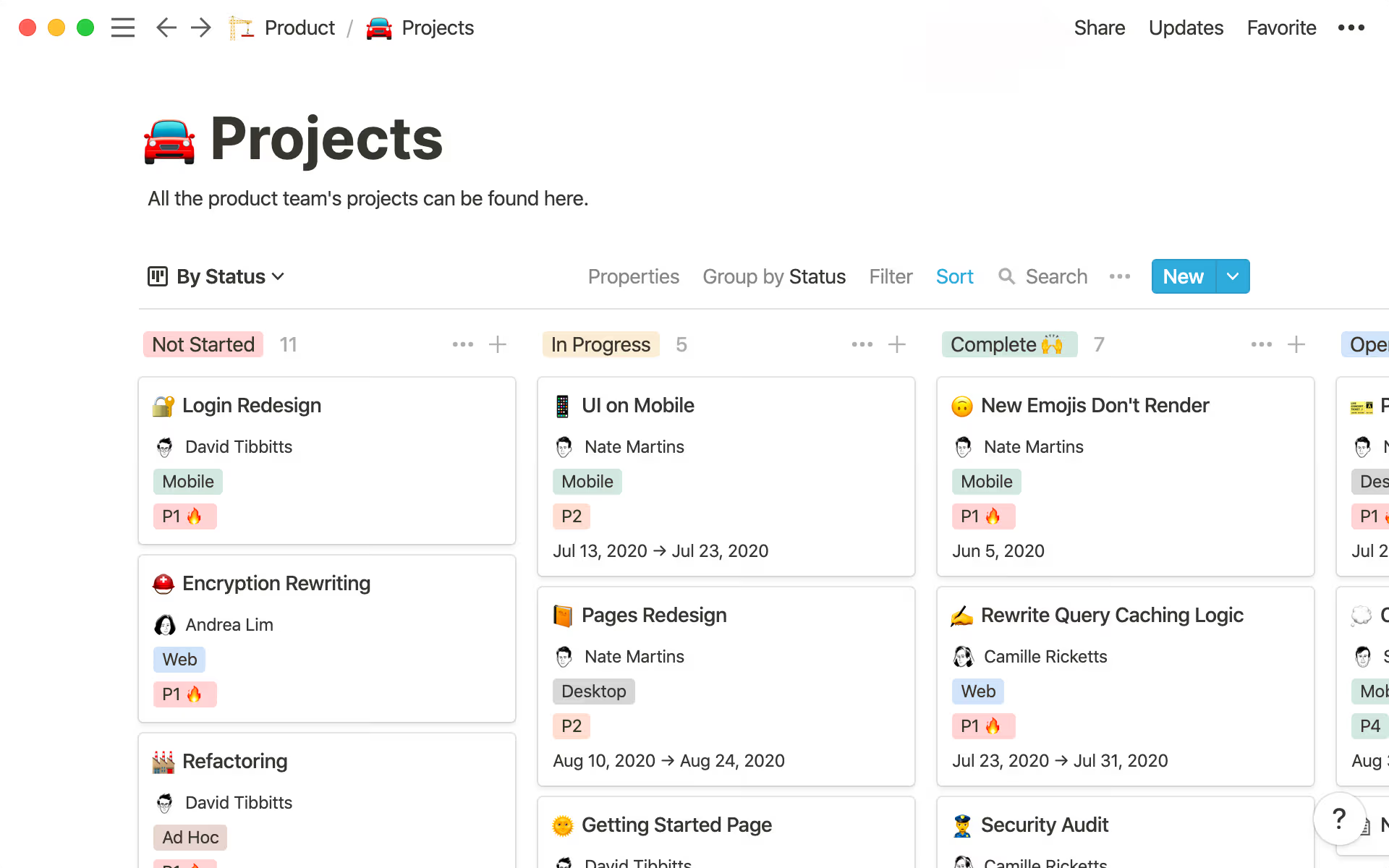
Explore Notion's core use cases — documents, wikis, projects, databases and collaboration — with examples from its published product screenshots.

01 / DOCUMENTS
Docs & wikis
Collect team knowledge and instructions in one place, and connect pages to the information your team needs.
02 / PROJECTS
Project management
Track tasks, statuses, owners and schedules alongside project documents using multiple database views.
03 / DATABASES
Databases
Use properties and views to organize linked documents, tasks and repeatable processes.
04 / COLLABORATION
Team collaboration
Distinguish members, guests, sharing and page permissions when growing from personal records to a team workspace.
A practical guide to choosing Notion
Based on the supplied GBH guide and official Notion materials. Suitability and pros/cons reflect editorial interpretation, not a hands-on performance benchmark, official endorsement or personal user review.
Who it suits
- Individuals or teams who want to connect documents with project information
- Organizations gathering knowledge into a consistent set of templates
- Teams that want their wiki and project workflow in the same space
- People planning to grow a personal system into a team process
When to think twice
- You only need lightweight notes and do not want to design a structure
- You expect every feature to remain unlimited on the Free plan
- You do not need databases, permissions or broader collaboration features
Key features and strengths
- Connect pages, docs and tasks through databases
- Use multiple views and properties for wikis, projects and to-do management
- Permissions, upload limits, history and add-ons vary by plan
- Any claims about the 2026-10-19 product update in historical GBH notes should be checked against current official release notes
Reasons to consider it
- A structure that can grow from personal writing to team knowledge management
- Flexible information templates and workflows
- Opportunities to reuse and link documentation and project data
Drawbacks and cautions
- Designing databases and permissions takes time
- Paid plans do not automatically make every feature unlimited
- A simpler writing app may suit basic note-taking better
Plans and real-world cost
- Total costs depend on paid members and the billing cycle
- Distinguish trial access to features from ongoing Free and paid allowances
- Check which collaborators are guests versus paid members
- Confirm add-ons and current billing policies
Offers and eligibility
- Compare individual Free limits and team per-seat billing
- Education, nonprofit and other programs can have separate eligibility
- Review currency, tax, territory and billing term restrictions
- No Notion-exclusive PerkMaple affiliate discount has been confirmed
Recommended steps
- Decide whether you are using Notion alone or with a team; count active editors
- Create a test document and database to examine sharing and permissions
- Review upload allowances, page history, collaboration and add-ons
- Choose Free or a paid tier based on actual needs
What to compare with alternatives
- For simple notes, compare lighter document tools
- For task-led project management, compare dedicated task applications
- Prioritize knowledge structure and collaboration fit over a raw feature count
Official sources and references
- Notion — Plans and features
- Notion — Plan changes
- Notion — Members and billing
- Notion — Projects and tasks
- GBH — Notion reference guide
Existing GBH material reviewed on 2026-11-03; official Notion pricing reviewed on 2026-11-17. Product screenshots are editorial examples and may not match the latest interface.
Affiliate and pricing disclosure · PerkMaple is an independent guide, not the operator of Notion. Some other platforms have owner-provided affiliate links that may earn PerkMaple a commission. Notion buttons here lead to its official website without referral tracking. No exclusive Notion discount has been confirmed; verify final prices and terms on Notion's own checkout.
NEXT STEPVerify the latest Notion
Verify the latest Notion
pricing and conditions.
Before choosing a plan, review the Free tier, renewal charges, member counts, permissions and optional features directly on Notion's official website.